Case Study

LanWhisper

The Challenge

Speech-to-text is good now. The options for getting it are not.

Cloud services work well, but they send your audio somewhere else and charge forever. Local options assume you’re on a fast machine and don’t mind a terminal. There’s a third path: a simple, normal install that uses your fastest computer to do the transcription for the others.

Most people who’d want voice typing have more than one computer. A laptop in the living room, a gaming PC in the office. The laptop is slow, the desktop is fast, and they’re already on the same LAN. The desktop’s GPU should be doing the work.

This is not technically hard. But existing solutions make you figure out how to get a Whisper server running, know its IP, pick a port, edit a config, unblock a firewall, and redo all of it when your router hands out a new address.

LanWhisper is what you get when you refuse to expose avoidable complexity. One installer per platform. A first-run wizard that asks which machine should do the transcribing. Automatic network discovery. No terminal, no IP addresses, no ports, no account.

Process

I started with a 15-line spec to Claude Code: menu-bar app, hold a hotkey, POST the audio to a hardcoded Whisper endpoint, paste the result at the cursor.

That first version worked in an hour. It proved the basic idea worked. It was also pretty bad.
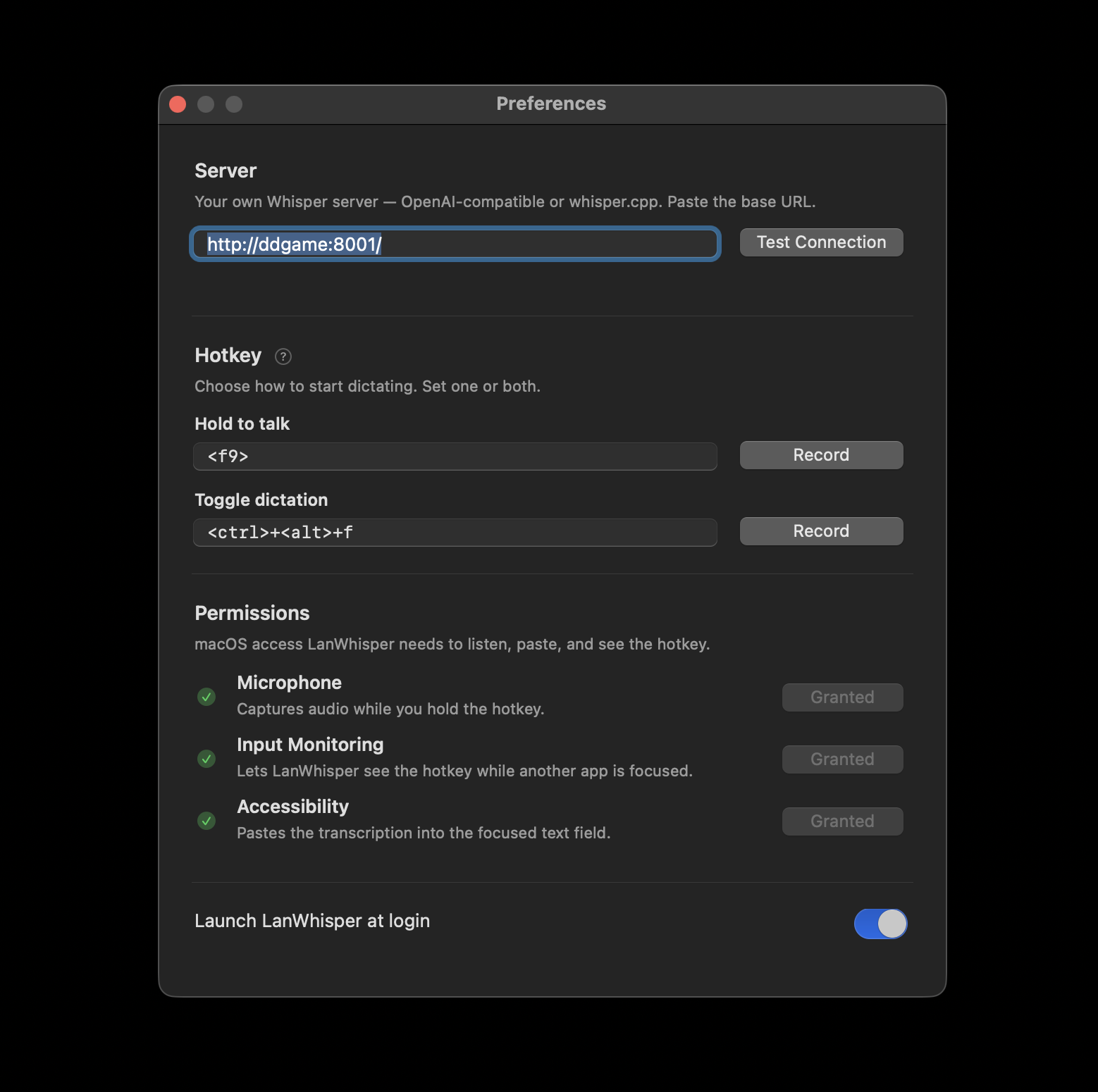
It lived inside a Homebrew Python install. There was no .app bundle. The menu bar icon was a microphone emoji. Configuring the hotkey required the user to understand pynput’s string format. Setting the server required the user to know what URL format the Whisper server wanted.

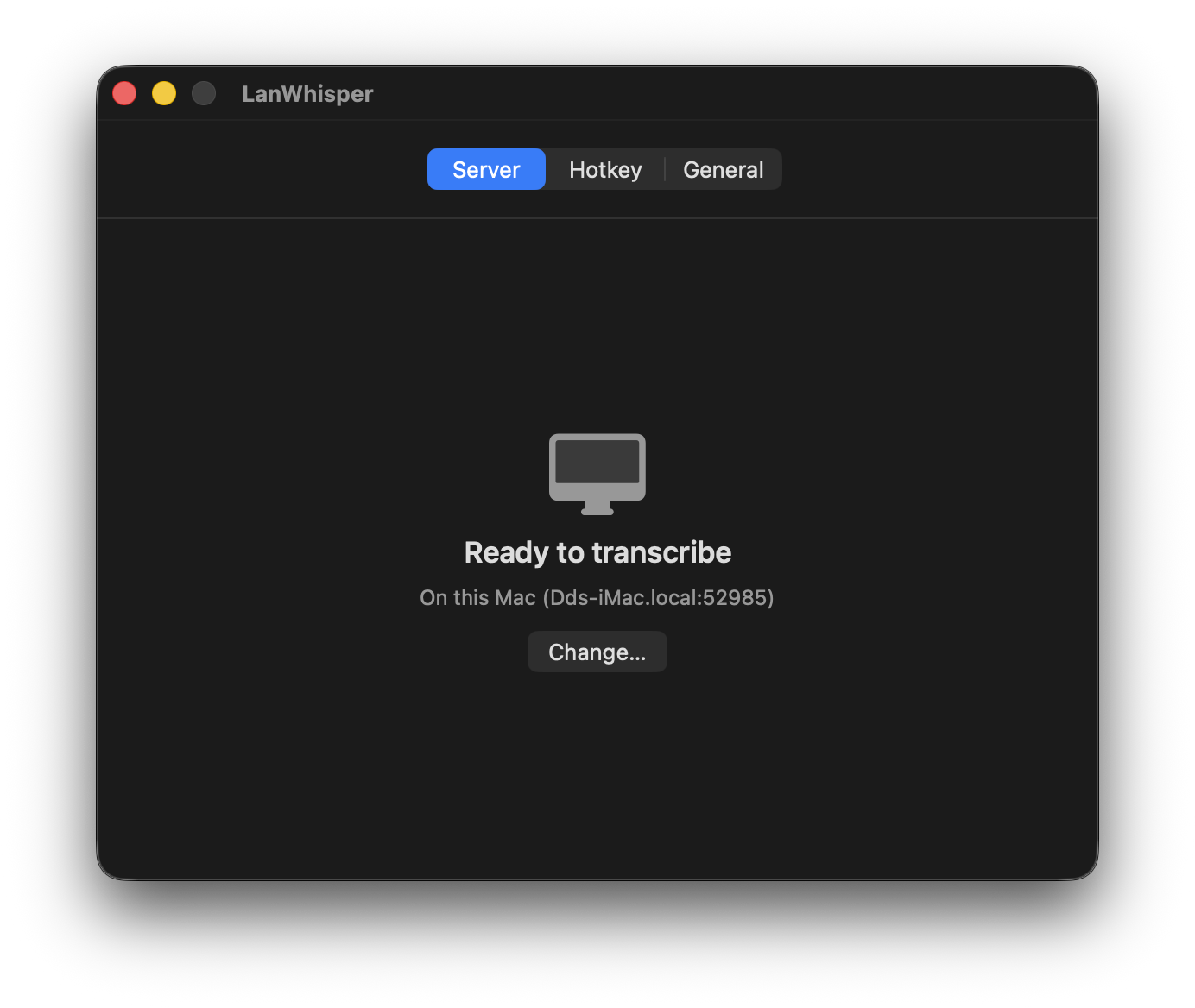
An early draft of the preferences window, with every issue on one page: a raw URL field for the server, pynput-format hotkey fields, and the whole thing crammed onto a single crowded screen

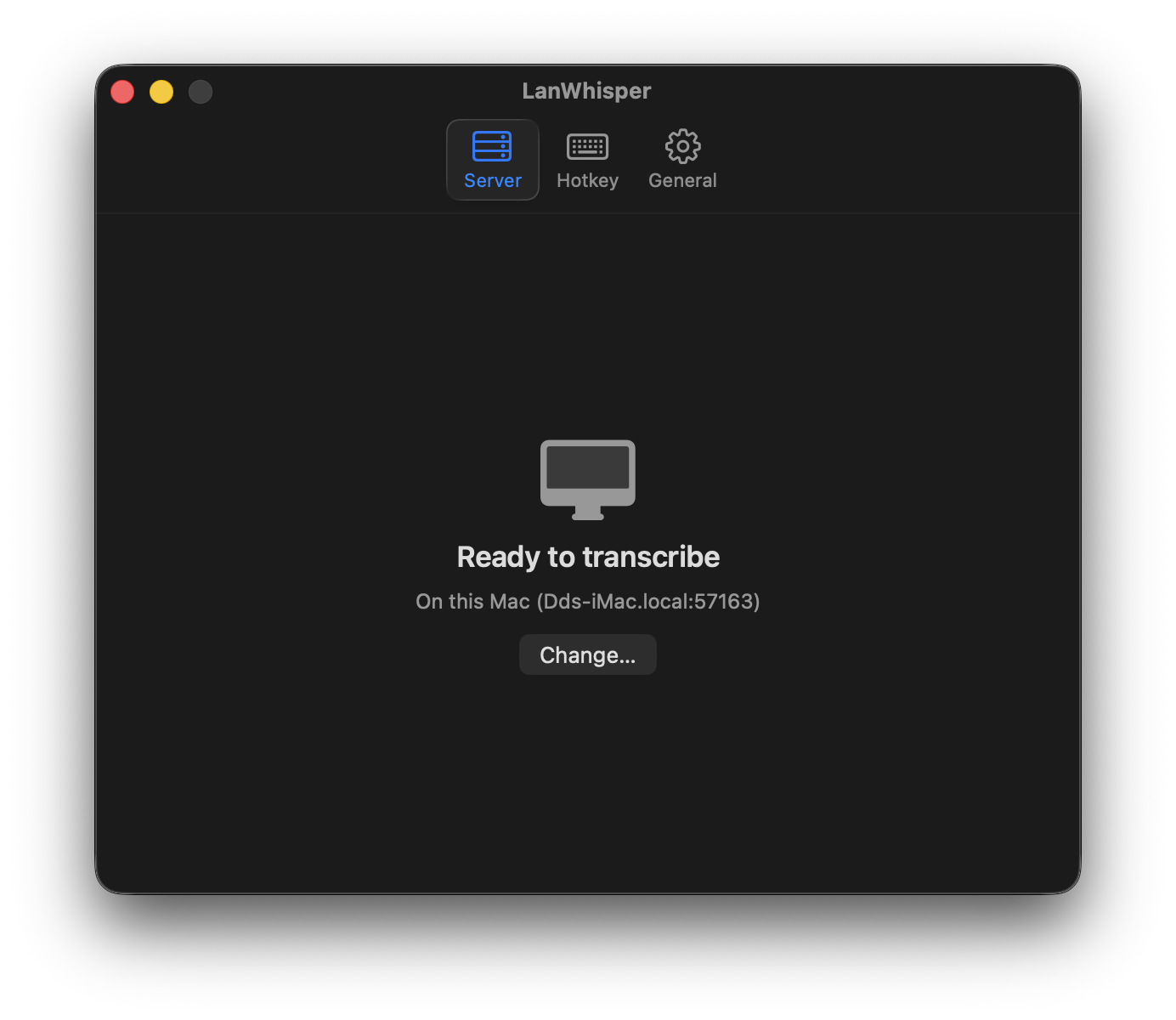
So the real work started. I rewrote the client as a native Swift menu-bar app. I took the server out of the user’s hands entirely by writing a small Go daemon that supervises whisper.cpp and advertises itself on the LAN via mDNS. Every machine runs the same tray app. It’s always a client, and optionally also the server. The user picks at first-run, or lets the app pick for them.

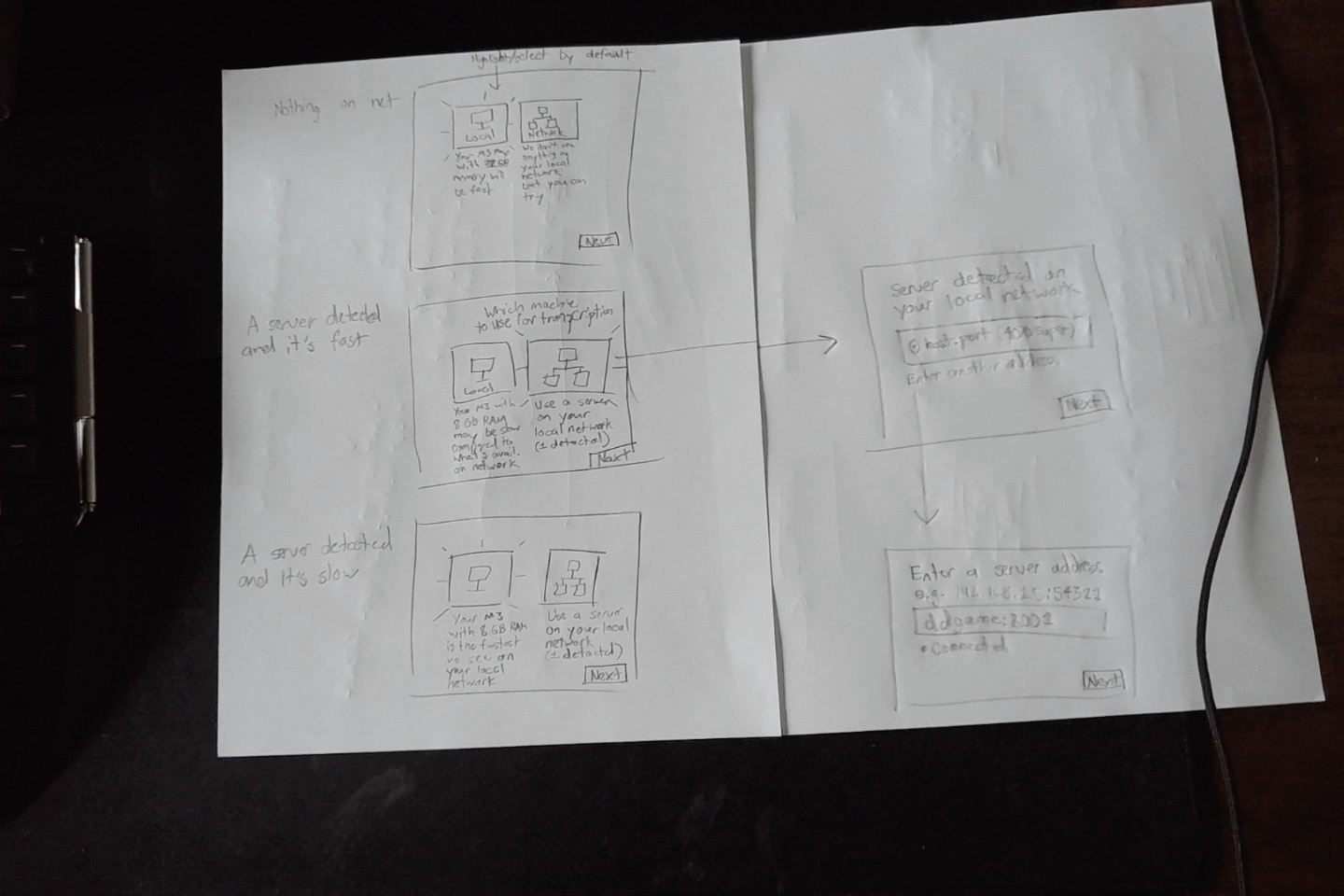
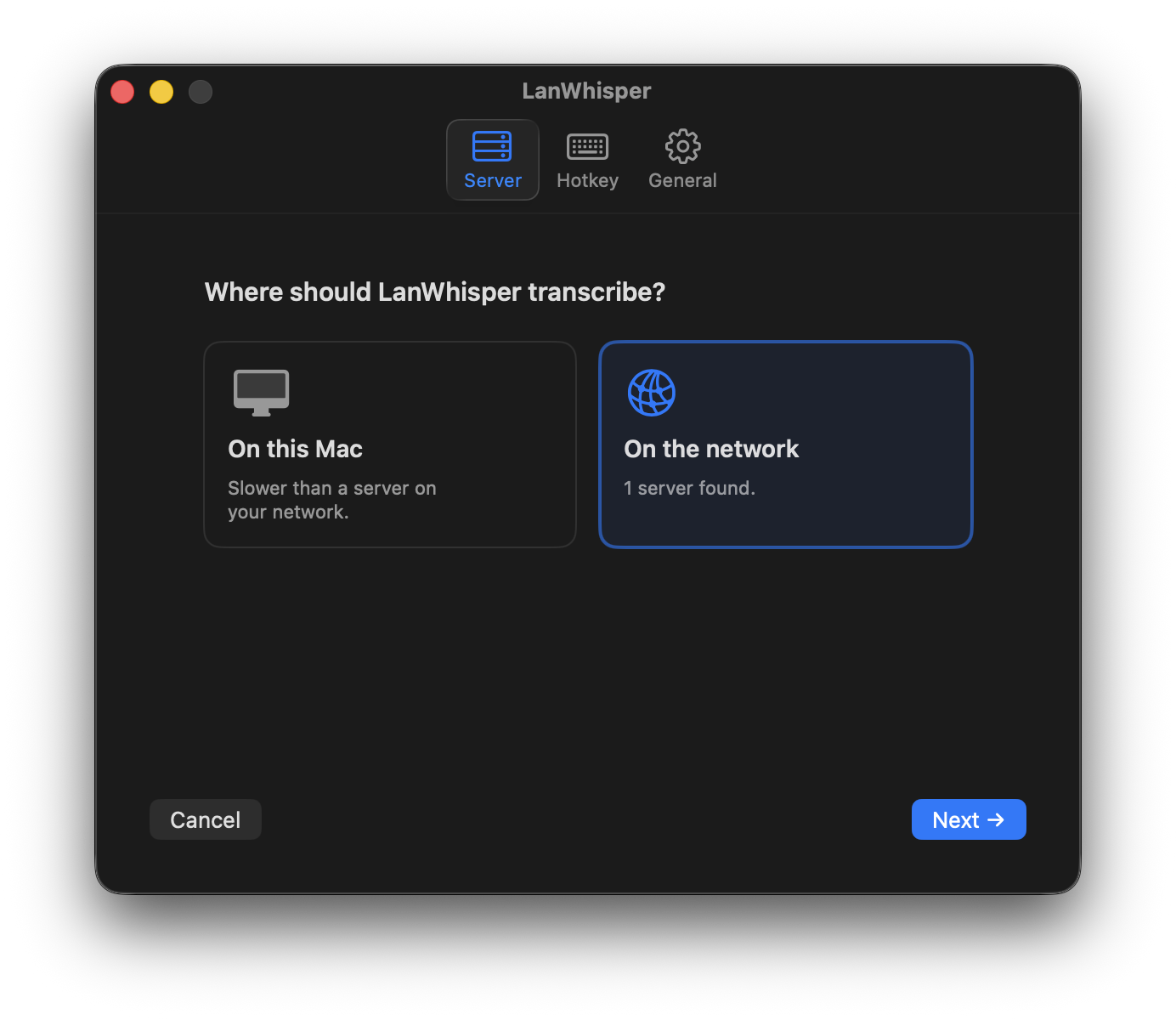
I worked out the first-run flow on paper before I wrote any code for it. Three cases: nothing on the network, a fast server on the network, a slow server on the network. Each one has a different default and a different piece of copy, because making the user pick “On this Mac” vs “On the network” means nothing if you haven’t told them which one is actually faster.

Paper sketch of the first-run server-picker flow across three network conditions

Then I handed the sketch to Claude Code and iterated in working software. A Figma prototype can’t catch the thing that actually matters here, which is whether the discovery UI lies to you when your router is slow or your firewall is paranoid. You have to use it.

The first-run "where should LanWhisper transcribe" screen

Once the Mac version was solid, I ported it to Windows. Same Go daemon, new native client in C# and WinUI 3. Going all-Go with a cross-platform tray toolkit would have saved a codebase, but the whole product is supposed to feel like a normal Mac or Windows app. That’s not a nice-to-have. It’s the reason anyone would pick this over the terminal-flavored alternatives.

Decisions

A few decisions mattered more than the rest.

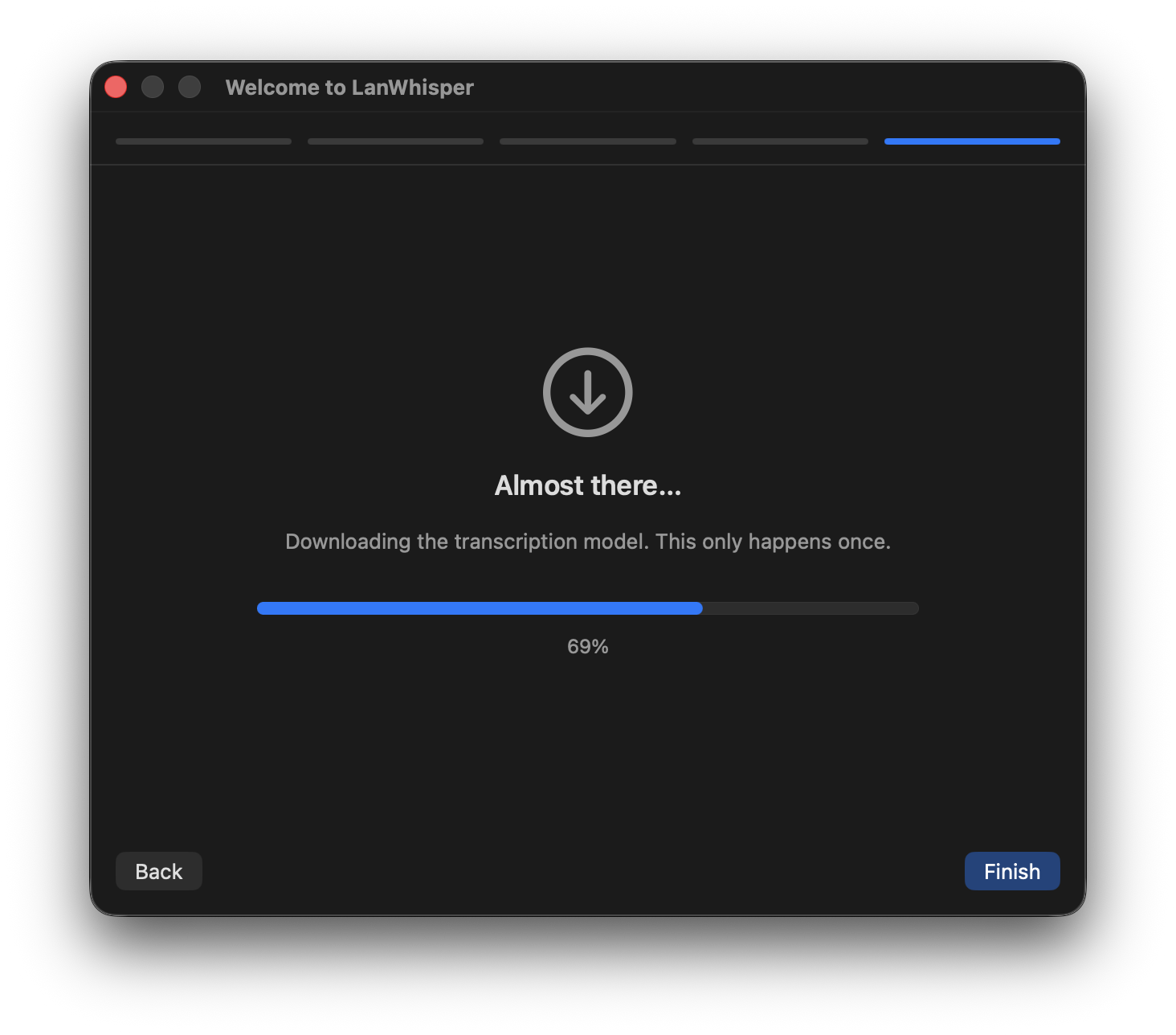
The server advertises its speed. Every server measures itself once at startup by transcribing a bundled reference clip, then publishes a real-time-factor number and a human-readable CPU/GPU label in its mDNS TXT record. When a client joins the network, the first-run wizard can say “there’s a faster machine available, want to use it?” instead of asking the user to guess. If every machine is slow, the UI warns you to expect some delay instead of pretending otherwise.

One model, chosen deliberately. LanWhisper ships with ggml-large-v3-turbo. The turbo variant of large-v3 runs several times faster than plain large-v3 with only a small accuracy hit, and it’s multilingual, so I don’t need a language picker in the UI. It’s ~1.6 GB, which is too big to bundle in a .app but fine to download in the background during onboarding. The app itself is about 10 MB. If you point your laptop at your desktop, the laptop never downloads the model at all.

mDNS and nothing else. No config file, no manual IP entry, no cloud relay. If you’re on the same LAN, it works. If you’re not, it doesn’t. That single constraint is what lets everything else stay simple.

The daemon runs as nobody. On the Mac, the server is a LaunchDaemon registered through SMAppService. It runs under the unprivileged nobody user, so even if whisper.cpp had a bug, the process can’t read your ~/Library, your Keychain, or your documents. The model lives under /Users/Shared/LanWhisper/ because that’s one of the few places nobody can read on a stock install. This costs a few awkward file-layout decisions, but it’s worth it; a compromised daemon can’t steal your files.

Distribution

An app that doesn’t install cleanly isn’t really an app.

Mac: notarized DMG with a branded background. Windows: signed installer via Azure Trusted Signing, which gives you Microsoft’s Public Trust chain without buying an EV certificate or carrying a USB token around. The Windows installer triggers UAC exactly once during install. The tray app never re-prompts.

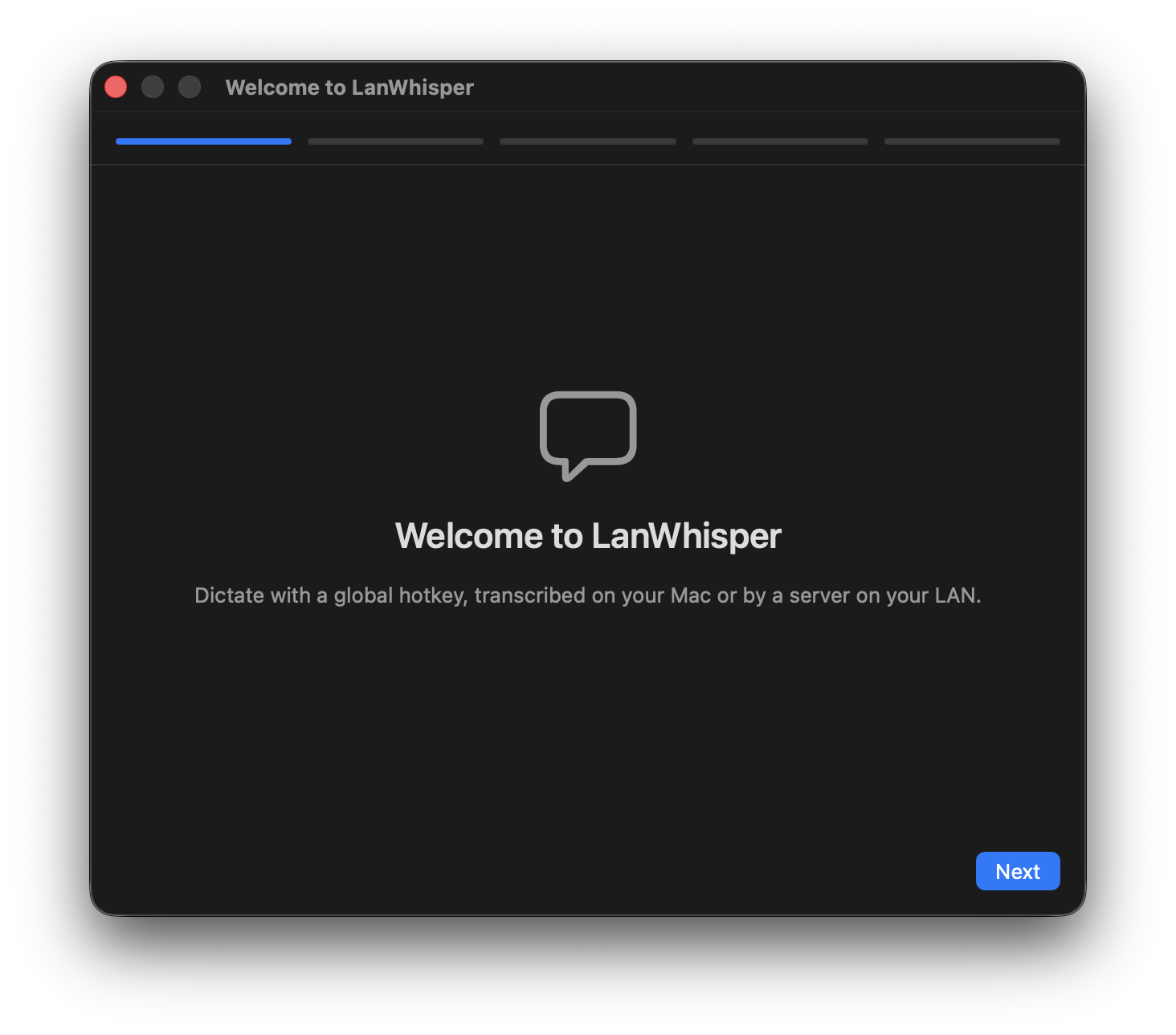
The onboarding welcome screen

The landing page

The landing page is plain HTML, CSS, and a sprinkling of vanilla JavaScript.
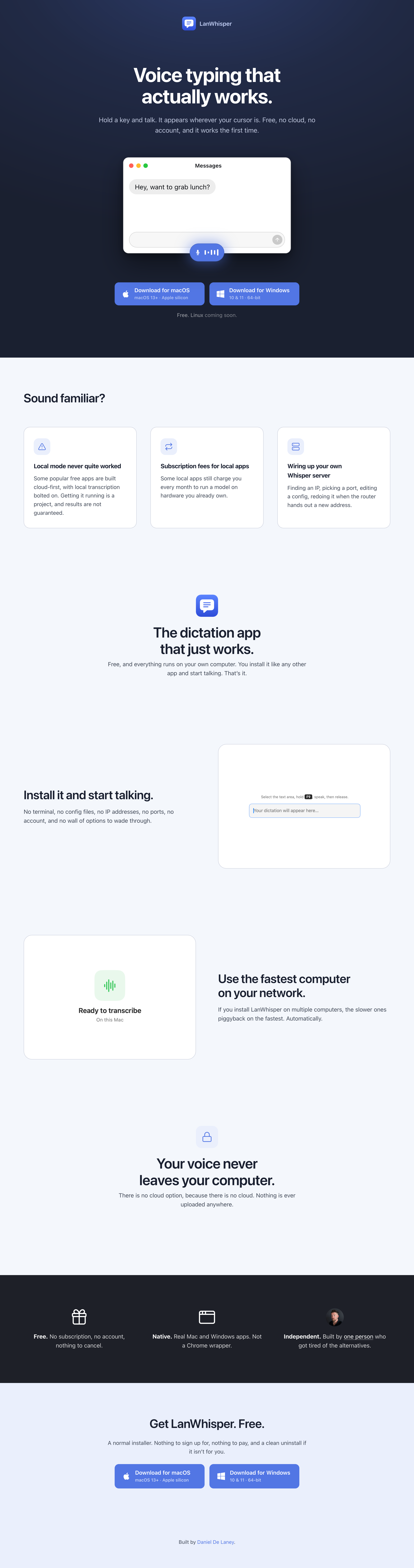
The LanWhisper landing page, showing the hero animation mid-cycle with the voice pill visible over the Messages window

The centerpiece is the animation at the top of this page: a pill of voice bars pops up, fades, and transcribed text appears at the caret, looping through three apps (Messages, Terminal, Notes). CSS does the visuals and keyframes; a small script sequences the phases. A simple autoplay loop beats an explainer video for understanding the basic premise at a glance.

The hard parts were the little ones. The caret had to sit at the same vertical position before and after the transcription landed, otherwise the whole thing looked janky: I wedged a zero-width space into the typed element so the baseline stays put. The voice pill had to clearly communicate speaking, not loading, so each of the five bars animates on its own timing curve and offset. And the pill’s exit had to feel as considered as its entrance, so it scales down and slides before it fades instead of just disappearing.

None of that is technically impressive. It’s just a lot of small decisions, and the feedback loop with Claude Code made it practical to iterate on them at the fidelity of the real thing instead of a Figma approximation.

Being the everything-er

I conceived the product, designed how it should work, and built it with Claude Code doing the typing. My job was deciding what to build, how it should work, what it should look and feel like, and when the result wasn’t good enough yet. Claude’s job was the bulk of what could be expressed as “implement this.” I sketched flows on paper, handed them over, and iterated on real working software inside the same session.

From first prompt to signed, publicly downloadable installers on both platforms was about six days. When engineering and design live in one head, the speed compounds: the person who sees the problem is the person who can fix it.

Linux is next.